Fleet operations

See every bay. Fix most of them without leaving your desk.

Built for bays that run unstaffed at 11pm, in cities you aren't in.

Your whole floor, in one browser tab

In use now, needs attention, offline — live across every location, refreshing continuously.
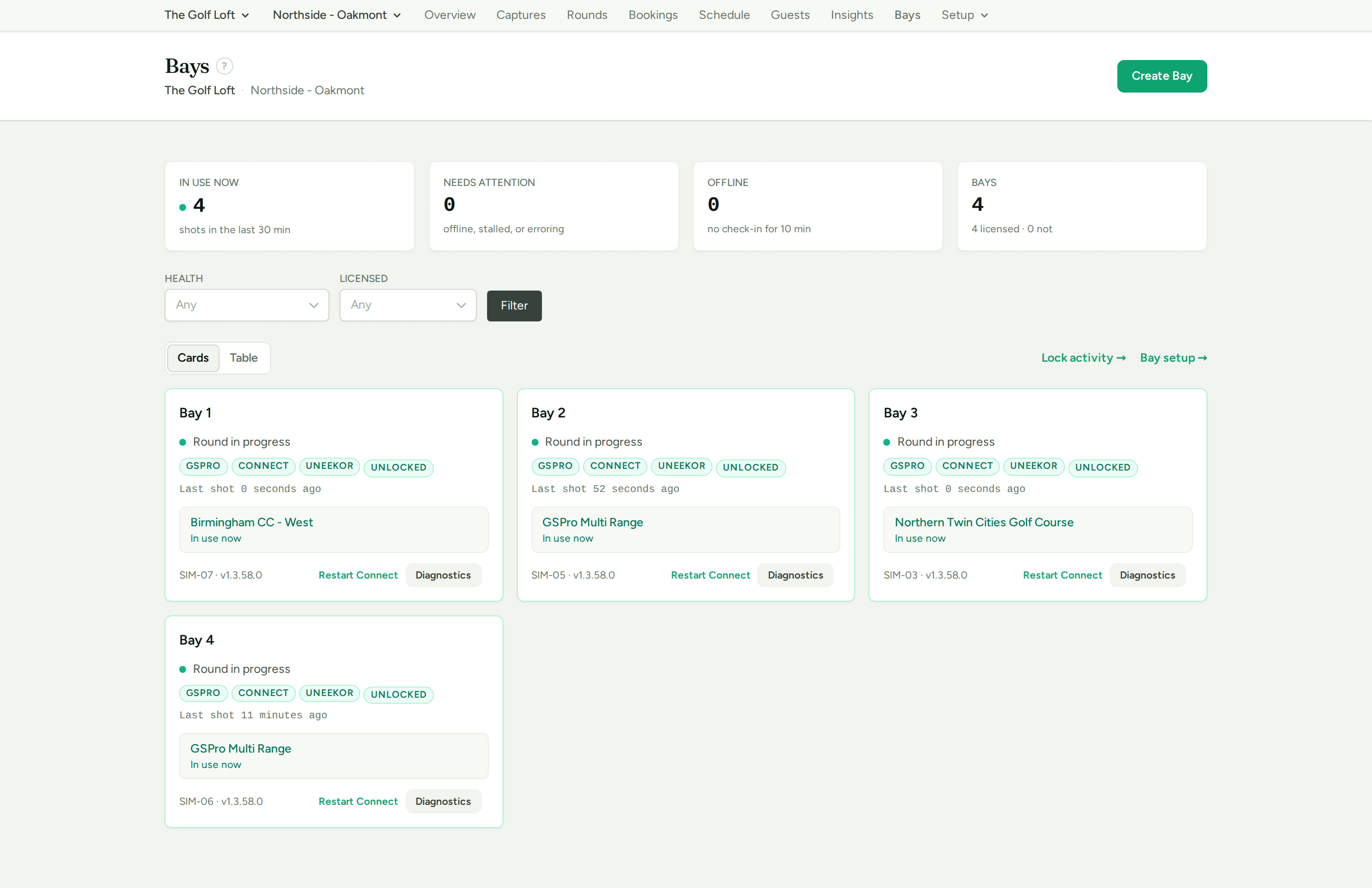
The bays board: four bays live, each with simulator, bridge, launch-monitor and lock status, the course in play, and restart and diagnostics buttons

It tells you a bay is broken before a guest does

The whole chain — launch monitor to bridge to GSPro — is checked end to end, so a bay that looks alive but is silently dropping every shot gets flagged.

And the fix is one click, from anywhere

Restart GSPro or the launch-monitor bridge on any bay in any city. It's the single most common on-site fix, and the guest in the bay can even press it themselves.
Hardware wear

Every ball your impact screen has ever taken.

Screens, mats and turf are known consumables with unknown wear. ShotReceipt counts every strike in every bay, so replacement becomes a line in next quarter's budget instead of an emergency in the middle of somebody's booking.

Screens and mats are tracked as separate items per bay, with a history of every replacement. Swap a screen and its count starts again; the mat keeps its own. Projector lamp hours come off the same page.

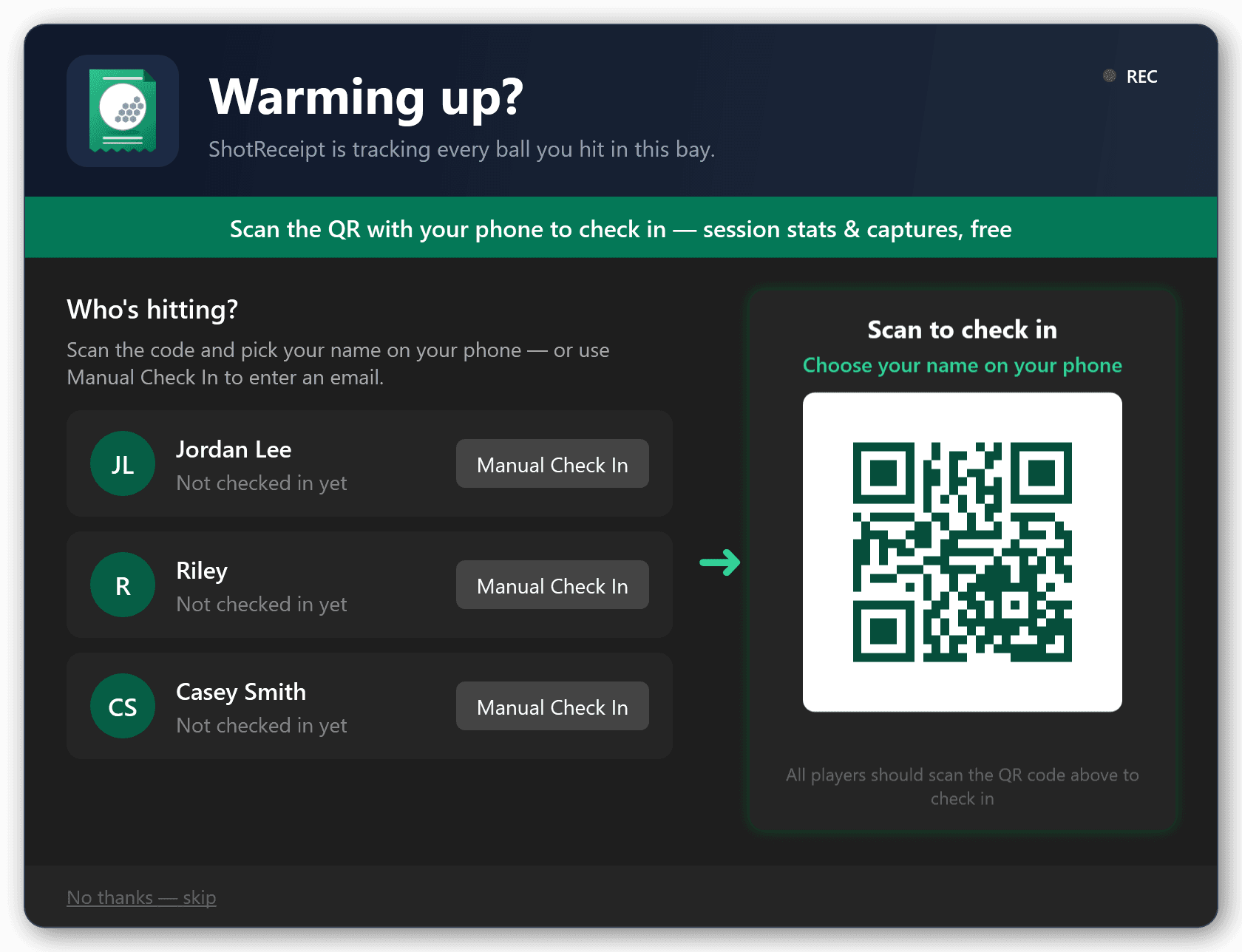
The range check-in screen: who's hitting, a QR to scan, and a skip link
Warm-up balls hit the screen too. Every one goes on the count.

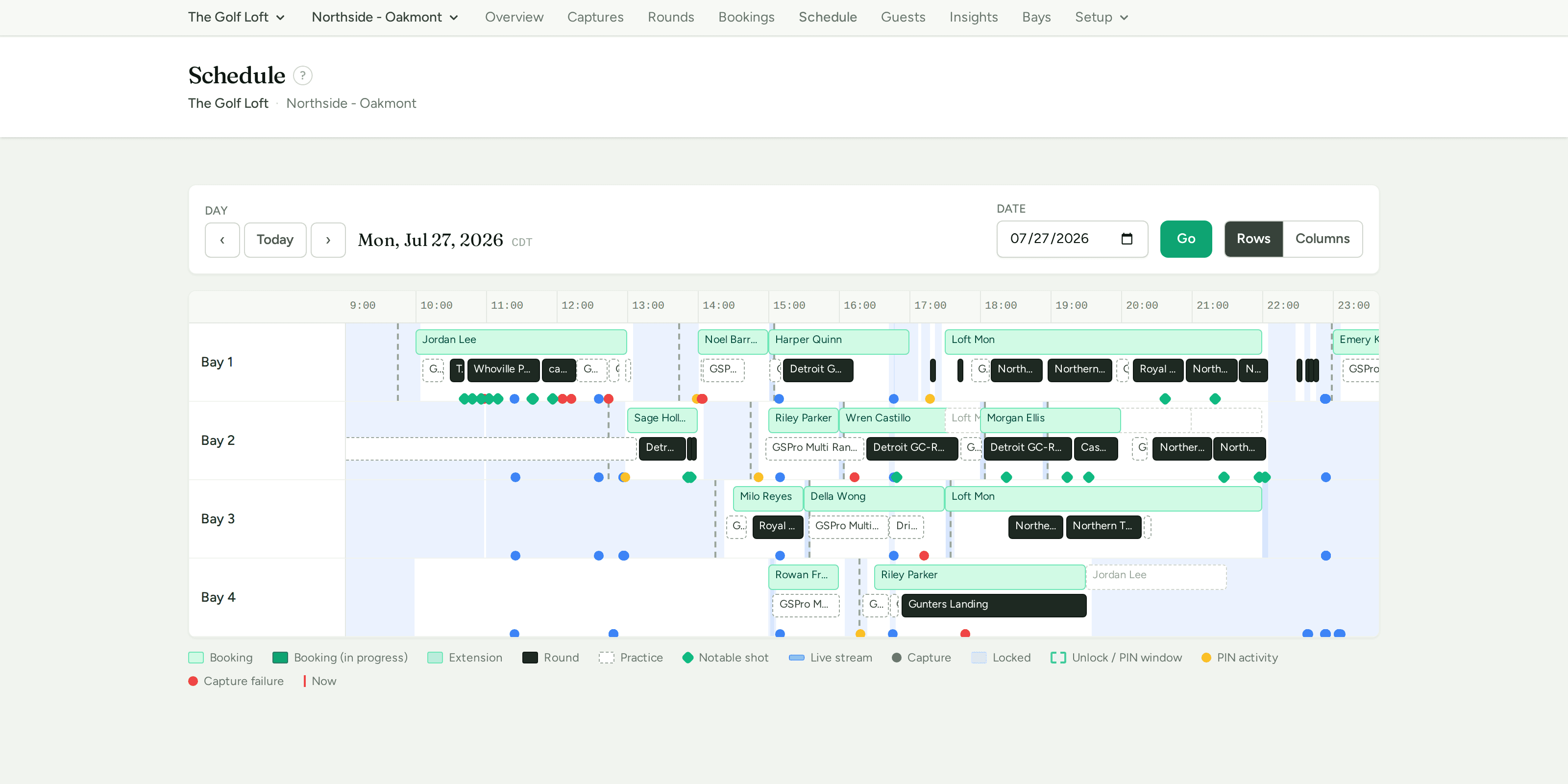
A venue's whole day, on one canvas

Bays as lanes, one day across. Bookings, rounds, extensions, lock periods and notable shots — all time-aligned.

The schedule: a bays-by-time grid for a full day, with bookings, rounds, extensions, lock bands and notable-shot markers aligned across four bays

A round spilling past its booking, rejected PINs just before a lock, a bay that sat idle through your busiest hour, all on one canvas.

Every lock, unlock, rejected PIN and capture failure is timestamped behind it — the audit trail for "who was in bay 3 at 9pm, and why did it lock?"

Which bays earn, and which sit idle

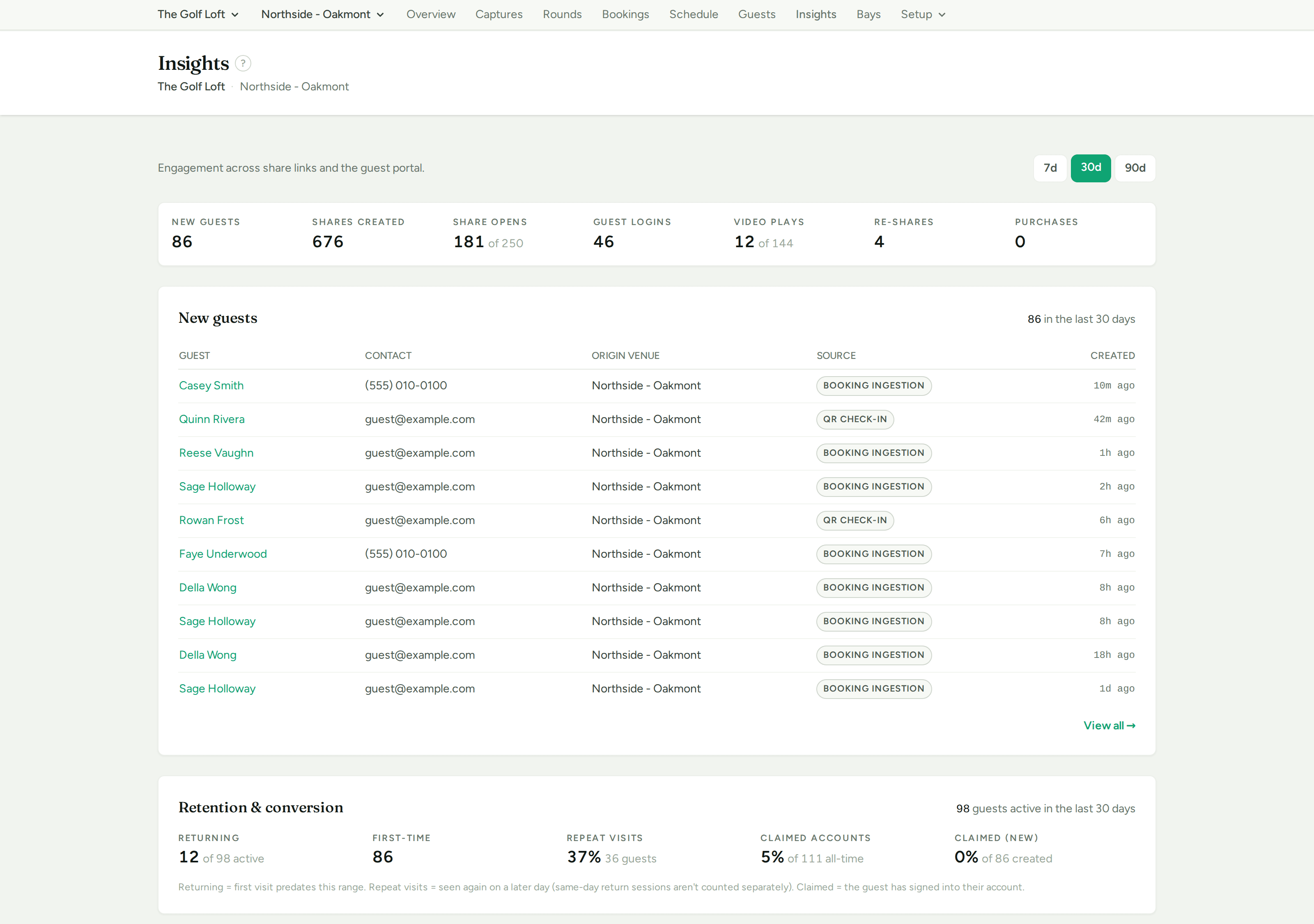
New guests, repeat visits, share opens, video plays — and utilisation per bay, per location.

The insights page: new guests, shares created, share opens, guest logins and video plays, a new-guest table, and a retention and conversion breakdown
Which nights bring new guests, and how many come back.
Self-maintaining

Bays look after themselves.

Bays update themselves, silently, while they're idle. If one falls over it starts back up and carries on recording — you'll read about it in the log rather than hear about it from a customer.

Setting up a new bay is a job for whoever's already standing in it. And when you need to know what's inside a particular machine, it's already on the page.

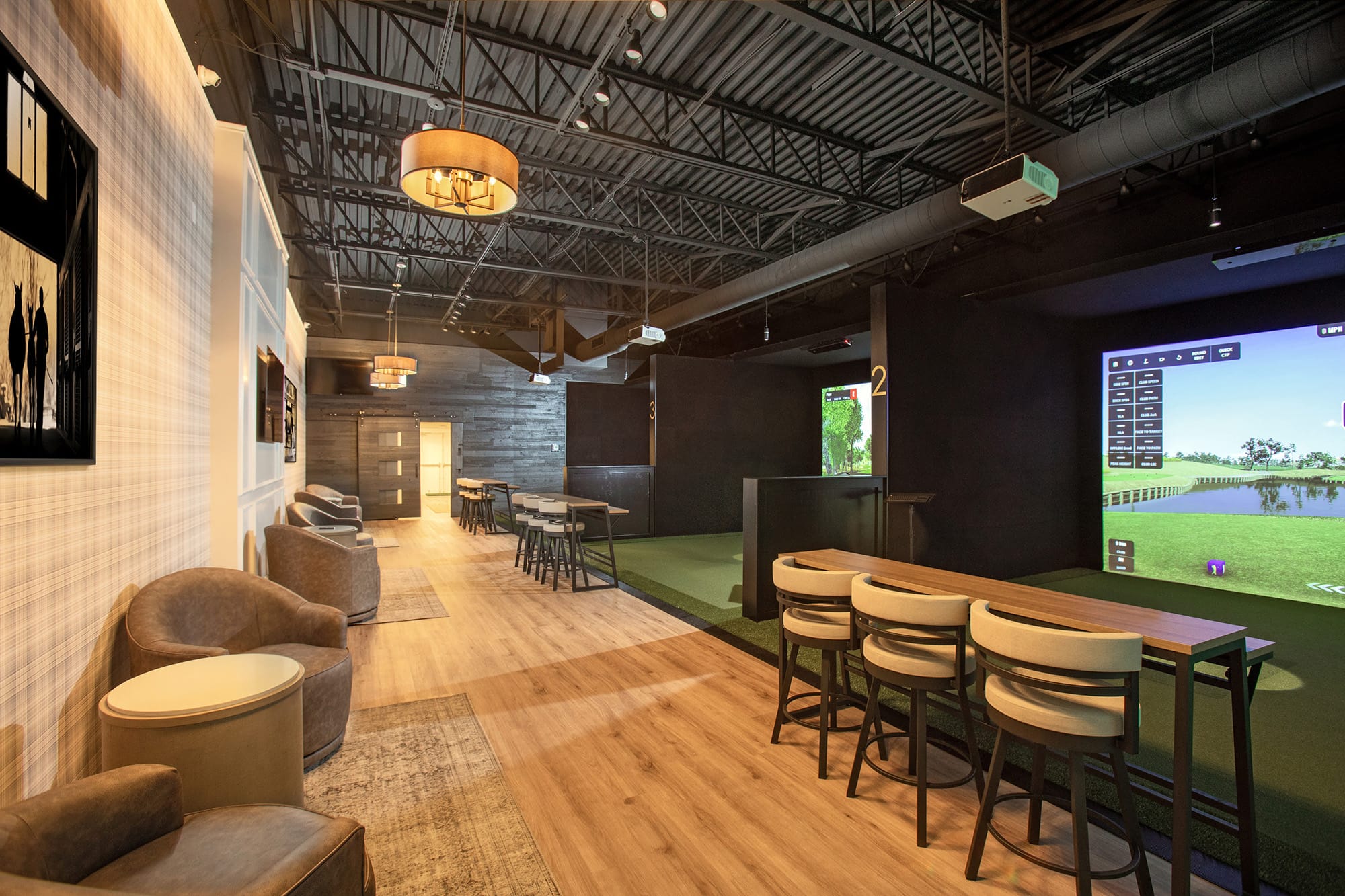
A commercial golf simulator venue with multiple bays, lounge seating and a bar
Nobody on the floor at 11pm. The board still knows which bay just dropped a shot.
ShotReceipt

See it against your own floor

Tell us how many bays and how many locations, and we'll walk the board with you.

One install per bay, on hardware you already own.