For Simulator Facilities

Turn Every Bay Into a Marketing Machine

Your customers are already having a great time. ShotReceipt turns those moments into shareable, branded content that brings them back — and brings their friends.

Simulator Screen Live Scorecard Camera ShotReceipt

Branded Content, Automatically

Every screenshot, video, email, and share link carries your facility's branding. Your logo, your colors, your name — on every piece of content that leaves your building.

  • Branded Emails Send polished HTML emails with your logo, embedded screenshots, and video links. Players walk away with a keepsake that has your facility front and center.
  • QR Code Sharing Generate QR codes for any capture. Players scan with their phone and instantly have their shot — your logo included.
  • Share Links Every recording gets a unique branded link. Players share on social media, and your facility gets the exposure.
app.shotreceipt.com/share/abc123 SG GOLF Simulated Golf Lounge 123 Main St, Huntsville, AL · (256) 555-0199 Pebble Beach Golf Links Hole 7 · Par 3 · 107 yds JD John Doe · Apr 5, 2026 HOLE-IN-ONE Download Video Share Powered by ShotReceipt · shotreceipt.com Simulated Golf Lounge · simulatedgolflounge.com Book your next session: (256) 555-0199

Your Facility at a Glance

A dedicated management console for everything happening across your bays.

  • Multi-Bay Overview See recordings from every bay at a glance. Filter by bay, date, guest, or recording type.
  • Guest Management View all guests, their recordings, rounds, and contact info. Grant complimentary access with a click.
  • Usage Tracking Monitor recordings, video minutes, storage, emails, and share links. Always know where you stand on your plan.
  • Multi-Facility Support Manage multiple locations from a single operator account. Each facility gets its own branding, settings, and billing — or pool them together.
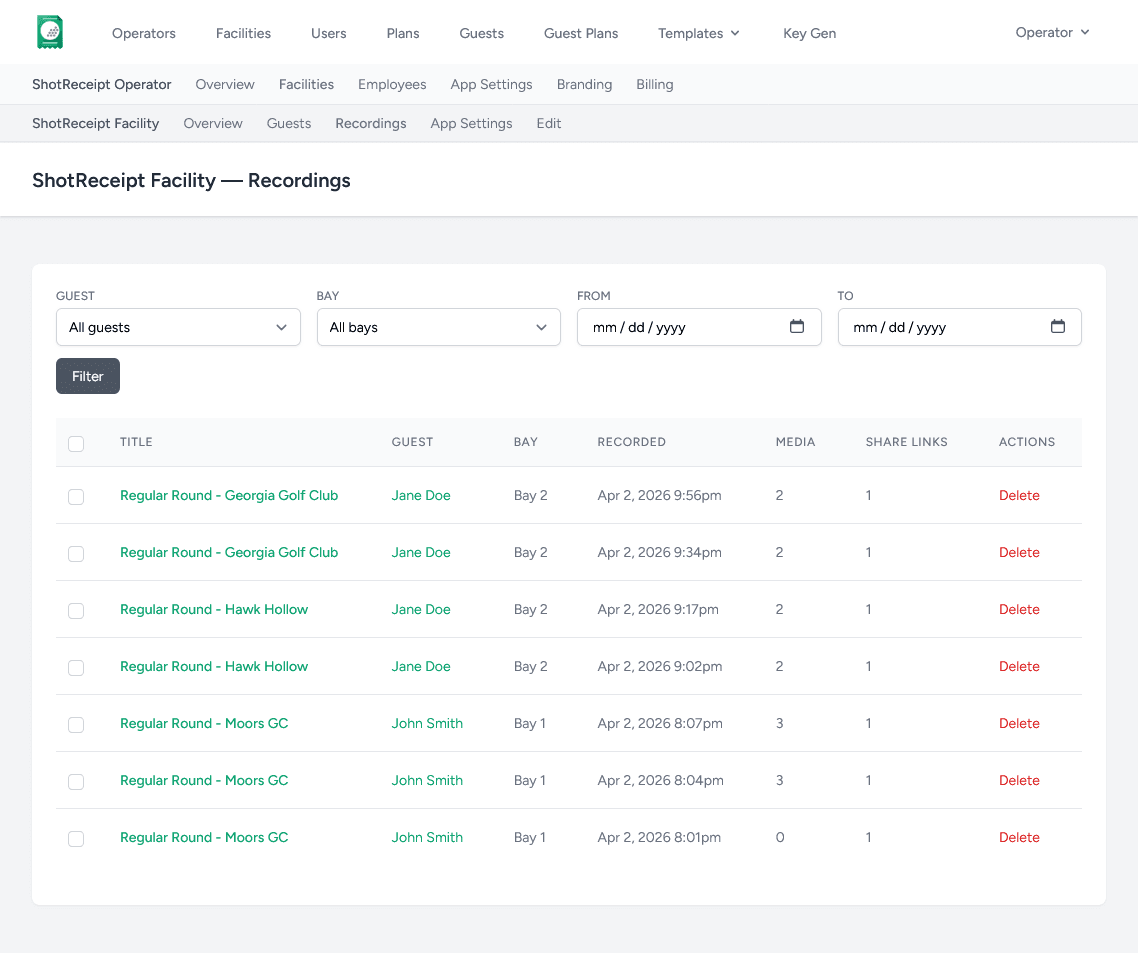
ShotReceipt facility dashboard showing bay status cards, recent recordings, guest list, and usage meters

Live Scorecards on Display

Put a live scorecard on a TV in the lounge, a monitor in the bay, or a screen at the bar. Scores update in real time as the round progresses.

  • Spectator-Friendly Great for league nights, tournaments, and events. Everyone can follow the action without crowding the bay.
  • Special Shot Highlights Eagles, hole-in-ones, chip-ins, and hole-outs are automatically detected and highlighted on the scorecard.
  • Any Second Screen Works on any monitor connected to the simulator PC. Choose which display shows the scorecard.
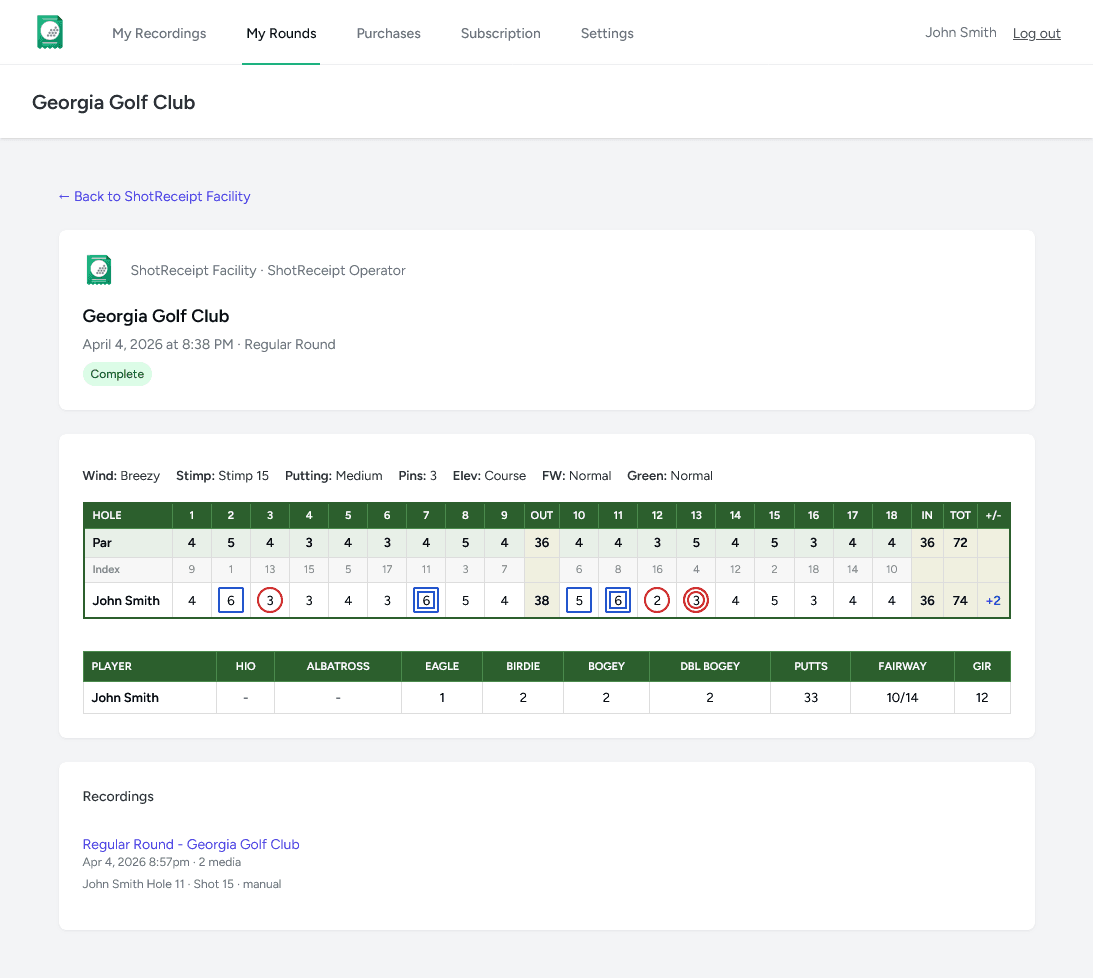
GSPro scorecard showing hole-by-hole scores and player stats

Sponsored Holes

A new revenue stream for your facility and a powerful branding opportunity for sponsors.

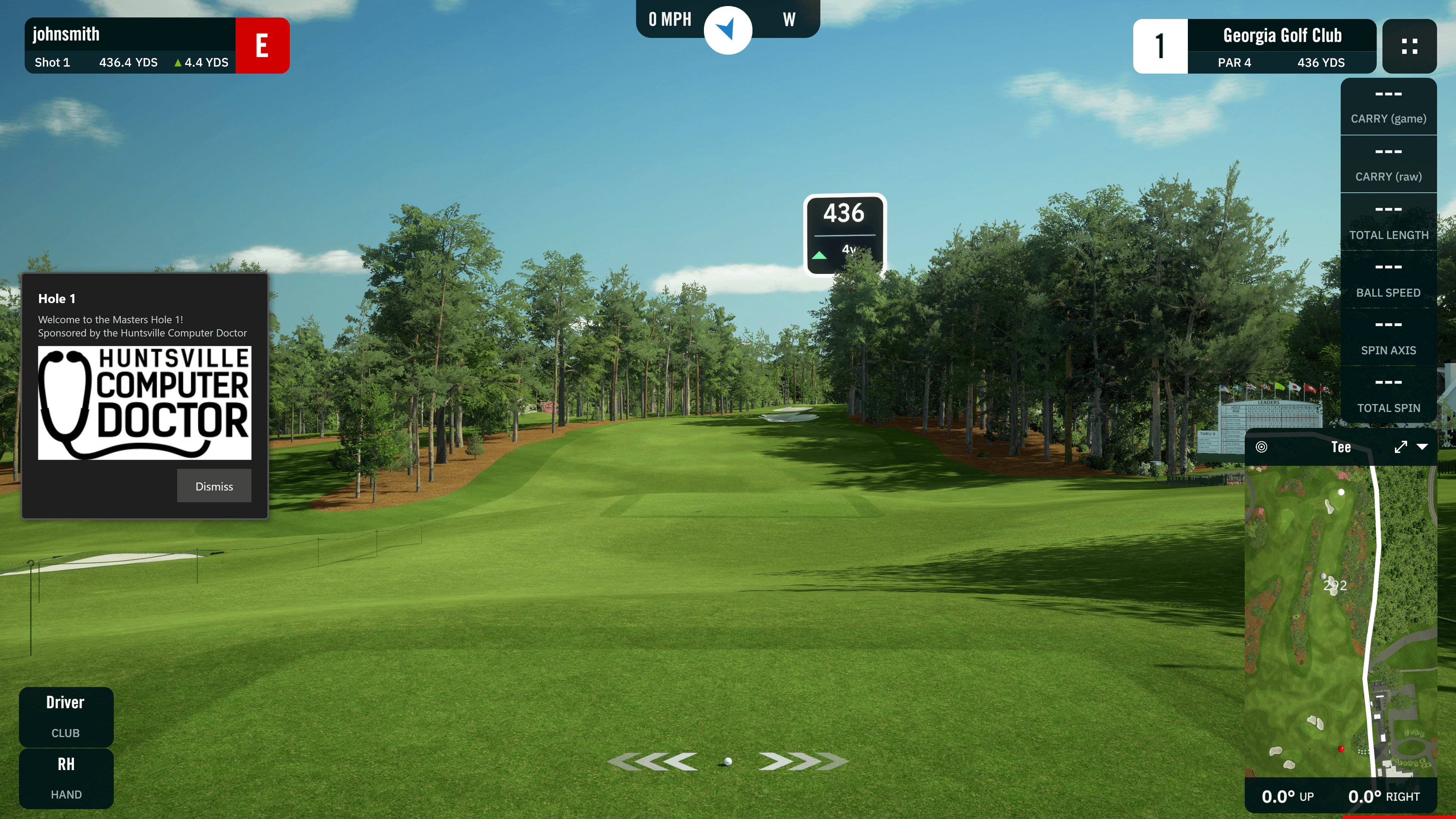
  • Tee Box Sponsor Popups Sponsor logos and messages automatically appear on the tee box of designated holes. Players see the sponsor front and center as they step up to hit.
  • Course & Hole Targeting Assign sponsors to specific holes on specific courses. Perfect for tournaments, league nights, and corporate events.
  • Tournament Ready Run sponsored tournaments with hole-by-hole branding — just like an outdoor event. Sponsors get visibility, you get revenue.
GSPro simulator showing a sponsored hole popup with a sponsor logo and welcome message on the tee box

Simple Setup, Any Simulator

Installs in minutes. Runs silently in the system tray. Works with your existing setup.

Any Simulator

GSPro, Full Swing, X-Golf, TruGolf, aboutGOLF, TrackMan, and more. If it runs on Windows, ShotReceipt works with it.

Zero Disruption

Runs silently in the system tray. Video recording starts automatically. PIN-protected settings prevent unauthorized changes.

IP & USB Cameras

Connect RTSP network cameras or USB webcams for swing footage alongside the simulator screen.

ShotReceipt

Ready to Get Started?

Download ShotReceipt and try it free at your facility.

Windows 10/11 required. Free trial available.